Chat administration
Decide which models Chat offers and how the picker is grouped, set instructions for every chat, configure tools, and choose who may use Chat.
What it is
Administration → Chat sets up Chat for the whole instance. General holds the on/off switch, the default model, instructions sent first in every chat, suggestions on the empty screen, how long temporary chats are kept, and switches for share links, export and personal plans. Models decides which granted models appear and how they are grouped. Tools sets up search, image, video, music, transcription and memory. Who can use Chat limits it to chosen groups, teams and people.
Why you want it
A chat app for a whole organization needs sensible defaults, a short list of recommended models and company-wide instructions, without anyone editing config files or reading other people's conversations.
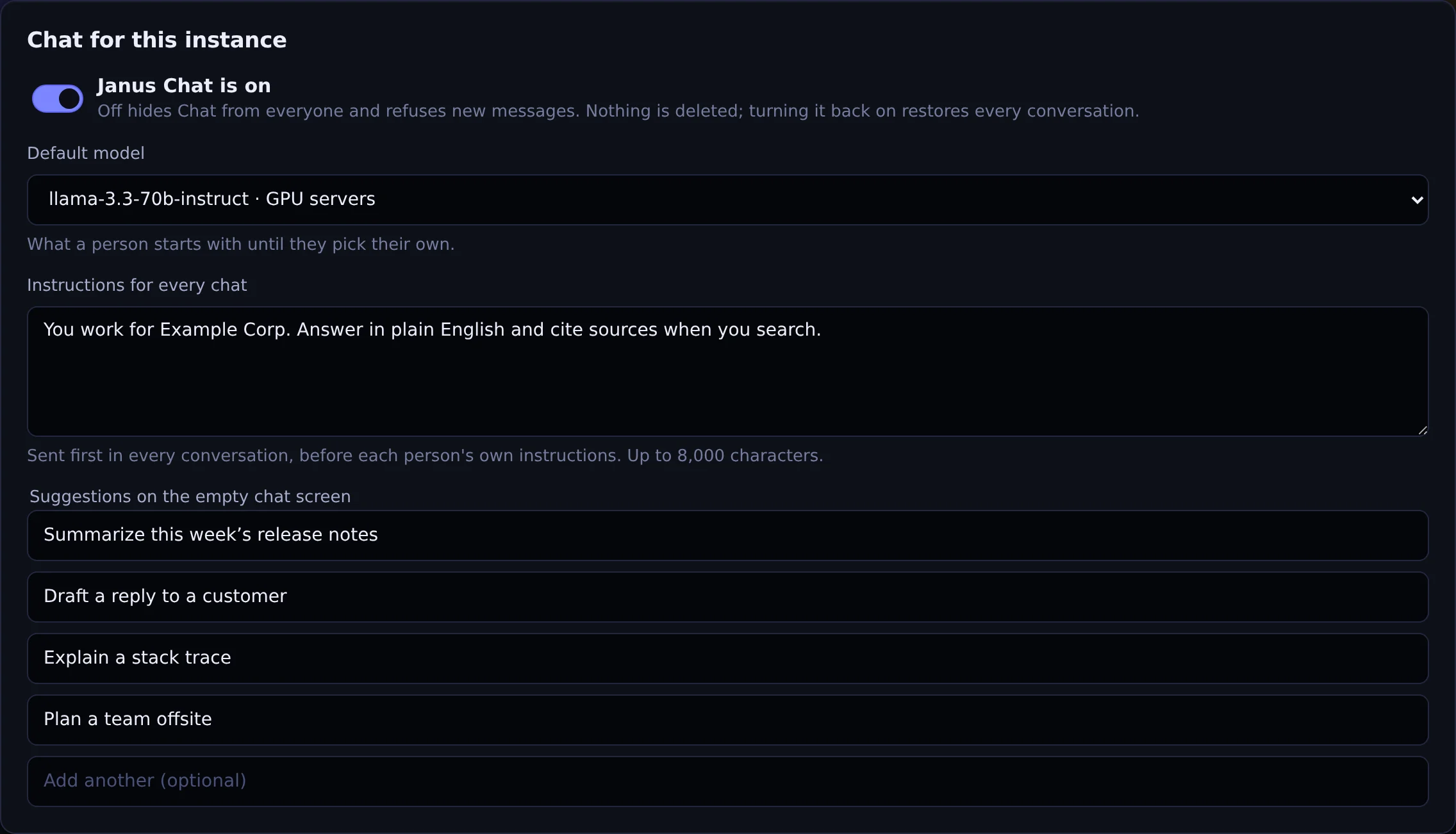
Turn Chat on or off, pick the default model, and set the instructions and suggestions every chat starts with.
Actual Janus interface · Demo identities and synthetic usageHow it works
- Turning Chat off hides it for everyone and deletes nothing; turning it back on restores every conversation
- Per model: shown or hidden in Chat, category, order and a Recommended badge; hiding a model only curates Chat and leaves the API unchanged
- Grants can give a model a friendly chat name and description per team; reports keep the real model name
- Temporary chats kept from 1 hour to 30 days (1 day by default)
- Who can use Chat: everyone, or chosen groups, teams and people; administrators always keep access, and a saved restriction keeps applying after a license lapses
- Every change is recorded in the audit log; search keys are never written there
In the product
Screenshot above. Actual Janus interface with demo identities and synthetic usage.
See it on your own network.
The Community edition is free for up to 25 people. The 30-day Business trial unlocks every Business feature.