Auto-routing
Callers ask for one router name, and a classifier sends each request to the model you chose for that kind of work.
What it is
A router is a model name callers use, such as auto/legal or auto/smart. For each request a decision model answers which routing category the work falls into and, when a route needs it, how difficult it is on a 1 to 5 scale. The router sends the request to the first route that fits and to its default model otherwise.
Why you want it
Organizations want sensitive work kept on their own models and routine work sent to cheaper ones, without asking every person and application to pick the right model. A router makes that choice per request while callers keep one name.
How it works
- Routes match on routing category, difficulty band, context fit, grant and quota, and target a model or managed model
- 15 built-in routing categories including Legal, each with includes, does-not-include, a minimum confidence and test examples; or follow a Usage insights category
- Draft, Shadow and Live states; Shadow serves the default and records what the router would have done
- An unsure, slow or failed classifier, or no fitting route, serves the default; routing never fails a request
- Conversations stay on their route for 30 minutes by default; a later turn that no longer fits its route is decided afresh
- Per-route thinking: as requested, a fixed level, or scaled with difficulty
- Follow-ups are classified with the recent conversation as context, so "keep going" on a hard coding task stays hard coding
- Router instructions: text added to the system prompt of every request a router, route or default serves
- Templates: Cost saver, Keep specialist work on-prem, Effort scaler, Coding by difficulty
- Routers are managed models: granted, bound to security policies and covered by quotas
- With a blocking policy or for a child covered by Child Safety, the router decides only after those checks pass, and never picks a model the child's age range blocks
- Optional X-Janus-Route, X-Janus-Route-Reason and X-Janus-Route-Model response headers
POST /v1/chat/completions
{ "model": "auto/legal", … }

HTTP/1.1 200 OK
X-Janus-Route: Legal on-prem
X-Janus-Route-Reason: matched
X-Janus-Route-Model: legal-llm      # headers sent only when the router discloses routes
In the product
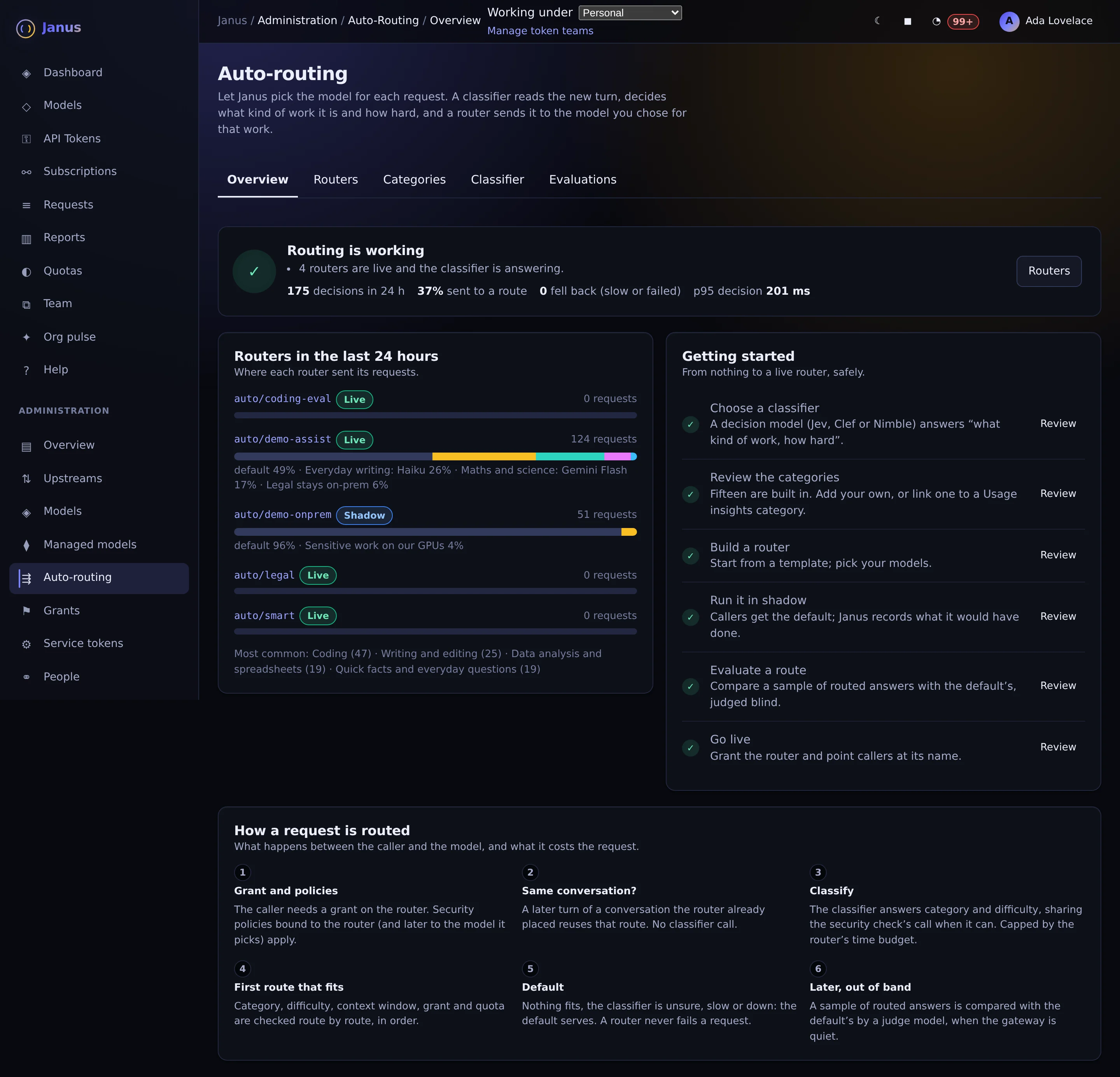
Live and shadow routers, where each one sent its traffic in the last 24 hours, and the steps every request goes through.
Actual Janus interface · Demo identities and synthetic usage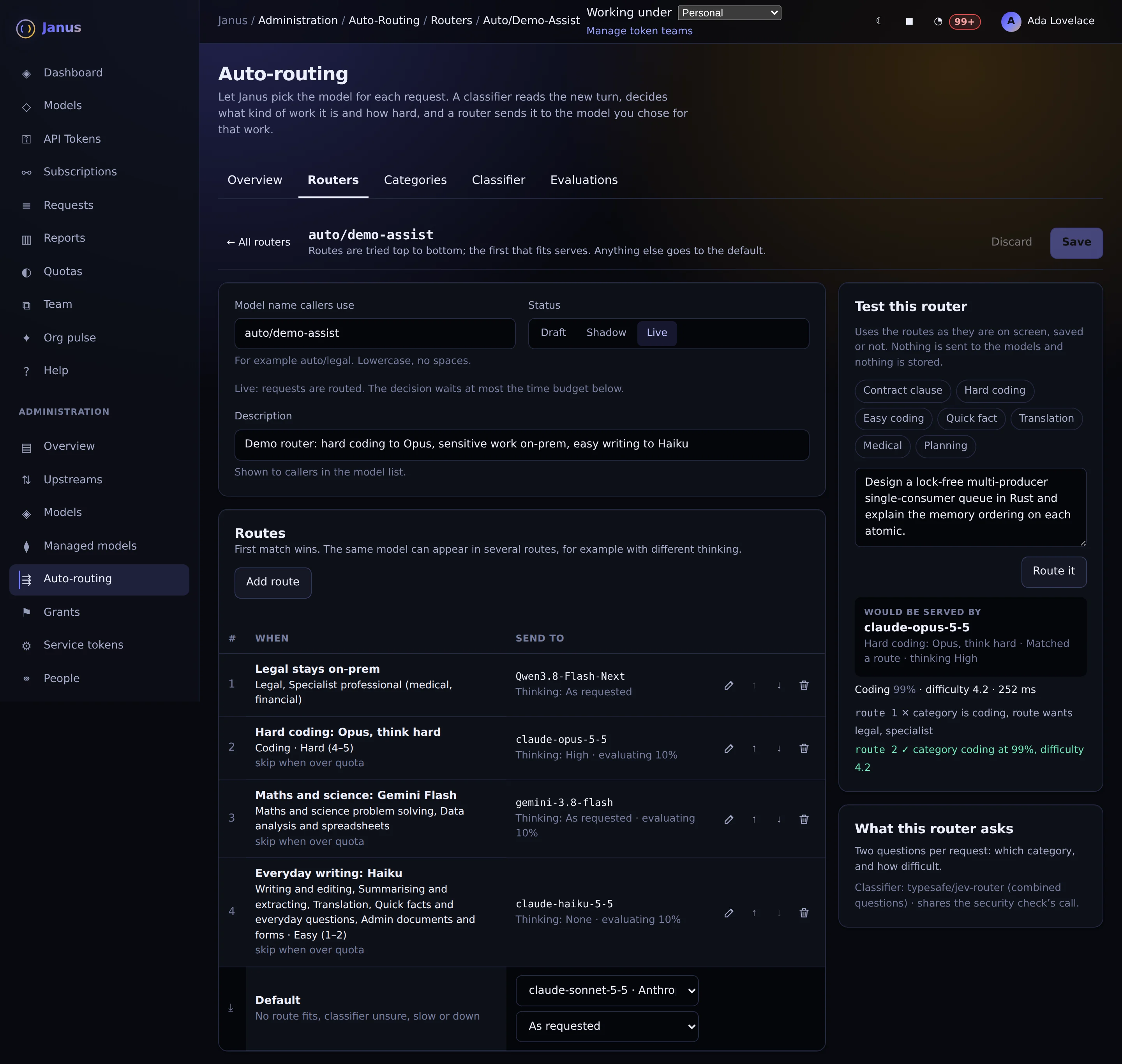
Routes tried top to bottom with their categories, difficulty and thinking, and a test panel that shows which route a prompt would take.
Actual Janus interface · Demo identities and synthetic usageSee it on your own network.
The Community edition is free for up to 25 people. The 30-day Business trial unlocks every Business feature.