Router instructions
Routers, routes and the default can add their own text to the system prompt of every request they serve, so each route gets a different kind of answer.
What it is
A router can add up to 8,000 characters to the system prompt of every request it serves, and each route and the default can add their own after it. Janus puts the text in front of the caller's own system prompt on every turn, so the model reads it no matter which app sent the request.
Why you want it
Picking a model is only half of routing. A legal question may need the house style for citations, a support question a friendlier tone, and none of that should depend on every chat app being configured the same way.
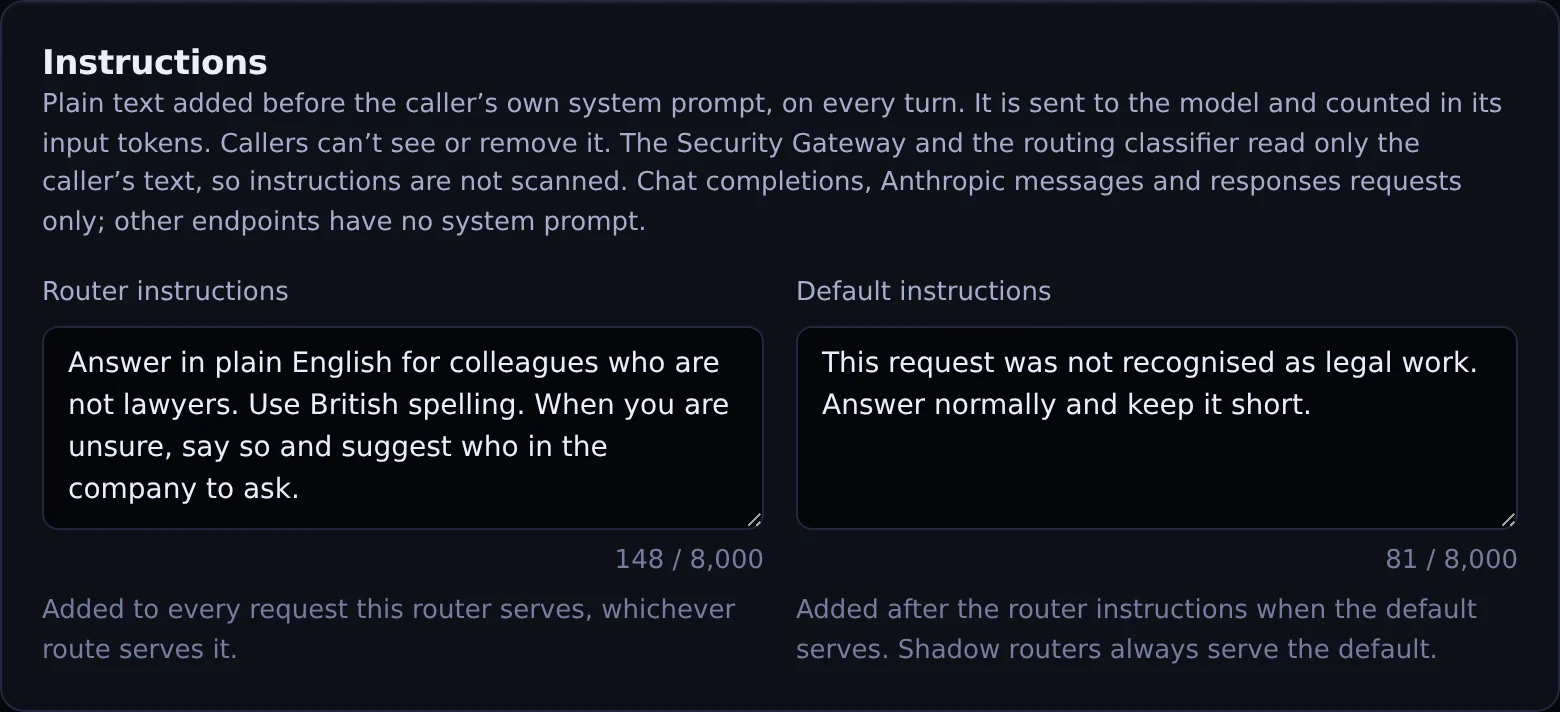
Text added to every request a router serves, and to requests its default serves.
Actual Janus interface · Demo identities and synthetic usageHow it works
- Router-wide instructions, plus instructions per route and for the default; up to 8,000 characters each
- Added once, to the final request body, after the Security Gateway and the routing classifier have read the caller's text; instructions themselves are not scanned
- Applied on every turn, including turns that stay on their route; callers can't see or remove them
- Shadow routers apply the router and default instructions; evaluations replay the default with its instructions
- Request log shows which instructions were added (router, route, default); routers that disclose routing send X-Janus-Route-Instructions
- Chat completions, Anthropic messages and Responses requests; counted in input tokens
In the product
Screenshot above. Actual Janus interface with demo identities and synthetic usage.
See it on your own network.
The Community edition is free for up to 25 people. The 30-day Business trial unlocks every Business feature.