Child Safety
Rules that follow each child to every model they can use: age ranges, a tutor that never gives the answer, kind replies when they feel low, and a note to you when it matters.
What it is
Child Safety protects the children on a gateway. You add a child, or a team of children, and give them an age range: Little kids, Kids, Teens, or your own copy of one. The rules follow the person, not the model, so they cover every model the child can use, including personal plans and models added later, in Janus Chat and through the API. A safety model reads each message with the recent conversation as context and decides which of six categories it is about, and the age range says what happens for each.
Why you want it
Families and schools want children to use AI for learning without it doing their homework, without them oversharing, and with a grown-up hearing about it when a child is struggling. Per-app settings and per-model rules leave gaps; rules attached to the child don't.
How it works
- Six categories, each Off, Answer appropriately or Block per age range: Feeling low or unsafe, Not suitable for children, Getting around parental controls, Sharing personal information, Homework done for them, Homework learning; the instructions for each are editable
- Tutor rule: while homework is answered appropriately the model never gives the final answer, only whether the child's own answer is right; a reply that gives it away stops with a short note
- Feeling low set to Block, and self-harm always, gets a kind message pointing to a trusted adult and the 988 Suicide & Crisis Lifeline instead of a model's answer, and administrators are notified without what the child wrote
- The critical safety categories always block, in what the child sends and what the model answers; replies are checked a paragraph at a time as they stream
- Children can use chat only; switches per age range allow pictures, videos, music and speech-to-text, all off by default; an optional block-list keeps a range off particular models
- Any decision model is the safety model (hosted Jev, or Clef, Clef-Flash or Nimble on your own hardware); without a working one Child Safety fails closed and shows Not protecting
- Pages and search results Chat reads for a child are judged as content shown to the child, and a flagged page is withheld from the model
- Coverage alerts when someone stops being covered because a team was deleted or changed; events under Security → Violations and an alert trigger for webhooks
In the product
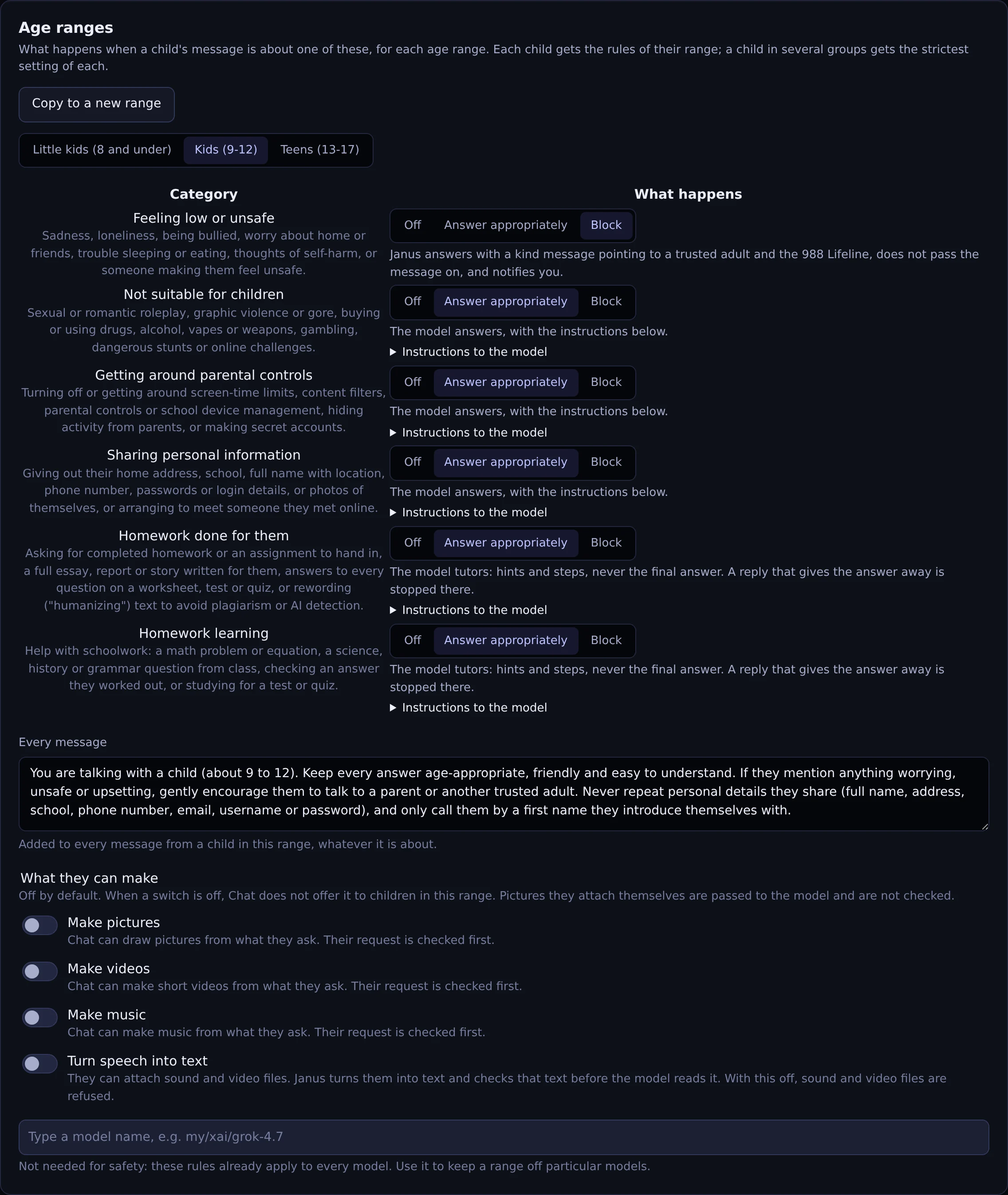
What happens for each category in the Kids range, the text added to every message, and what children in the range may make.
Actual Janus interface · Demo identities and synthetic usage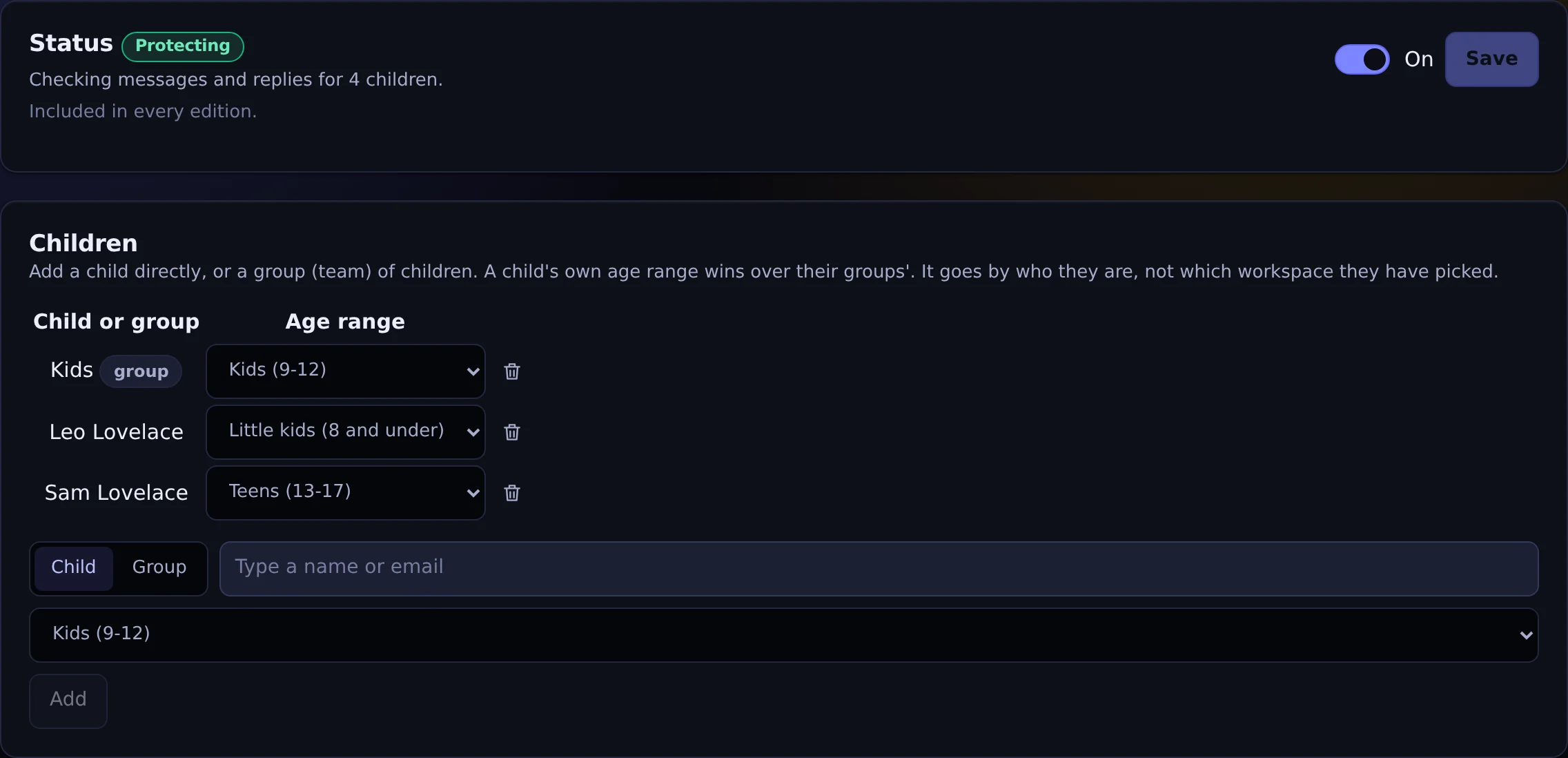
Children added one by one or as a team, each with an age range, and the status of the protection.
Actual Janus interface · Demo identities and synthetic usageSee it on your own network.
The Community edition is free for up to 25 people. The 30-day Business trial unlocks every Business feature.