Security gateway
Troubleshooting captures
When something breaks, capture full requests for a limited time and scope, then purge them.
What it is
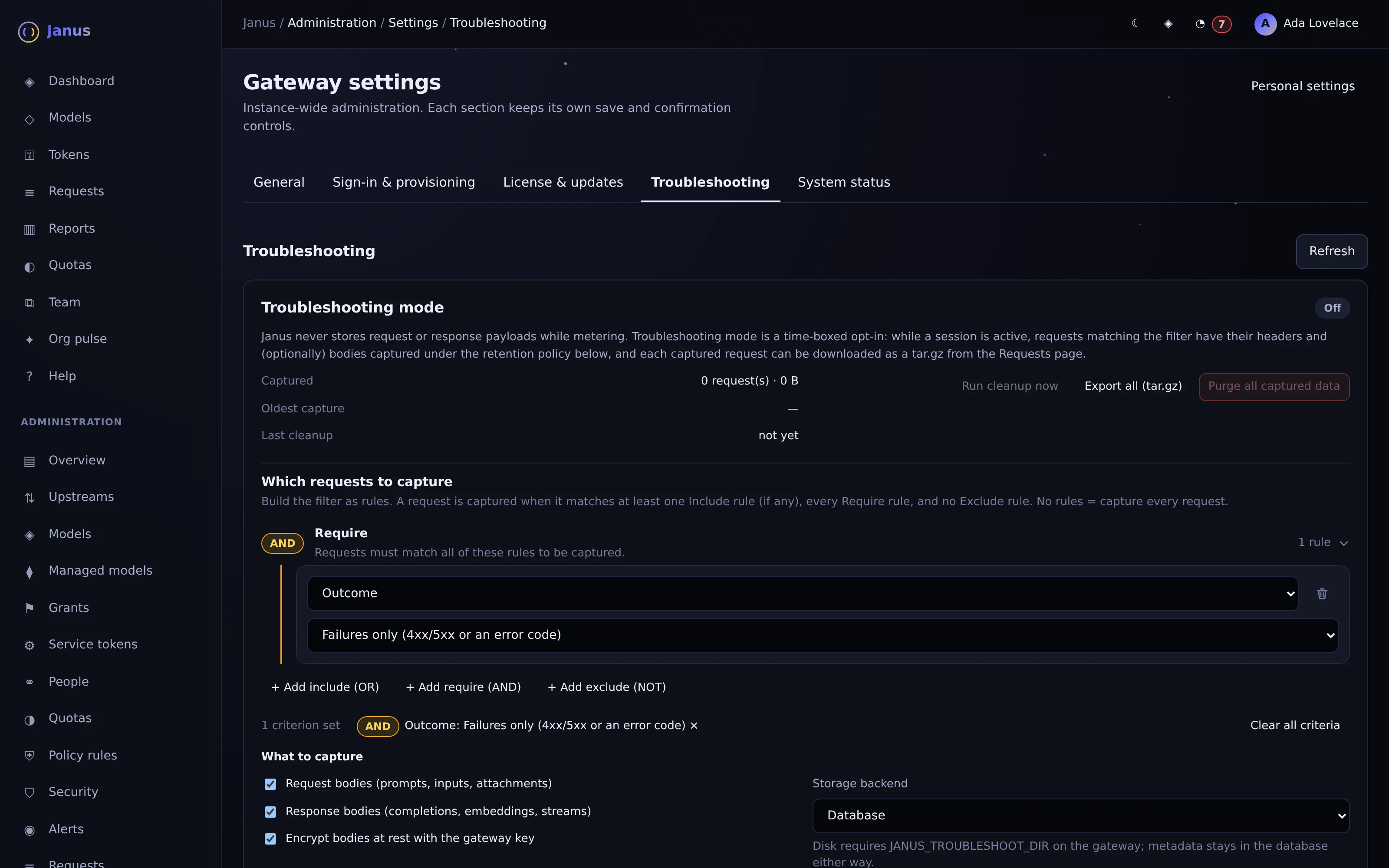
An explicit, time-limited session that records request and response bodies for requests matching a filter. Captures download as tar.gz, singly or in bulk with a JSONL index.
Why you want it
Prompts are private by default, which leaves admins blind when a request fails. Captures give targeted evidence without turning on logging for everyone.
How it works
- Default 24 hours, at most a week; include (OR), require (AND) and exclude (NOT) rule groups
- Credentials and cookies always redacted; bodies optionally encrypted at rest
- Stored in the database or on disk; retention by age, count or size, plus a purge button
- Bulk export includes captures.jsonl and an Athena DDL
See it on your own network.
The Community edition is free for up to 25 people. The 30-day Business trial unlocks every Business feature.