Reach a GPU Server Anywhere: Janus Edge, Cloudflare Access and Header Policies
Put a model server that sits in another office behind Cloudflare Tunnel and Access, then let Janus Edge sign every request with a service token, so it works like any other upstream with no VPN and no open ports.
On this page
- How it fits together
- Step 1: Run the model server on localhost
- Step 2: Create the tunnel and route only the API
- Step 3: Protect the hostname with Access and a service token
- Step 4: Add the upstream in Janus Edge
- Step 5: Sign every request with a header policy
- What your users see
- Things to plan for
- The same pattern for other gateways in front of a model
- Getting started
Sometimes, the GPU you want to use isn’t in the same building or on the same network as your gateway. Maybe it’s a DGX in the office, a workstation under someone’s desk, or a box at a colocation site. You want everyone’s apps to use it the same way they use any other model: through one gateway, with one key per person, the same rules and the same metering.
The usual answers are all a bit uncomfortable. Opening a port to the internet puts an unauthenticated model server one scan away from strangers. A site-to-site VPN works, but it joins two whole networks to share one HTTP endpoint. And a static API key on the model server protects it only as well as that key is kept.
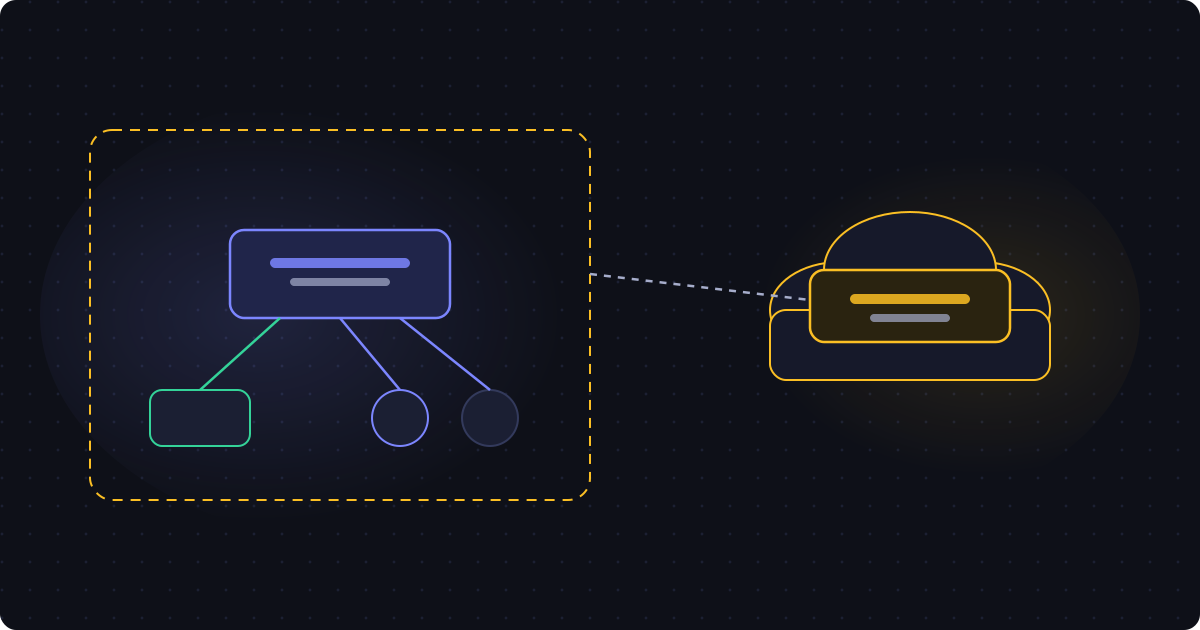
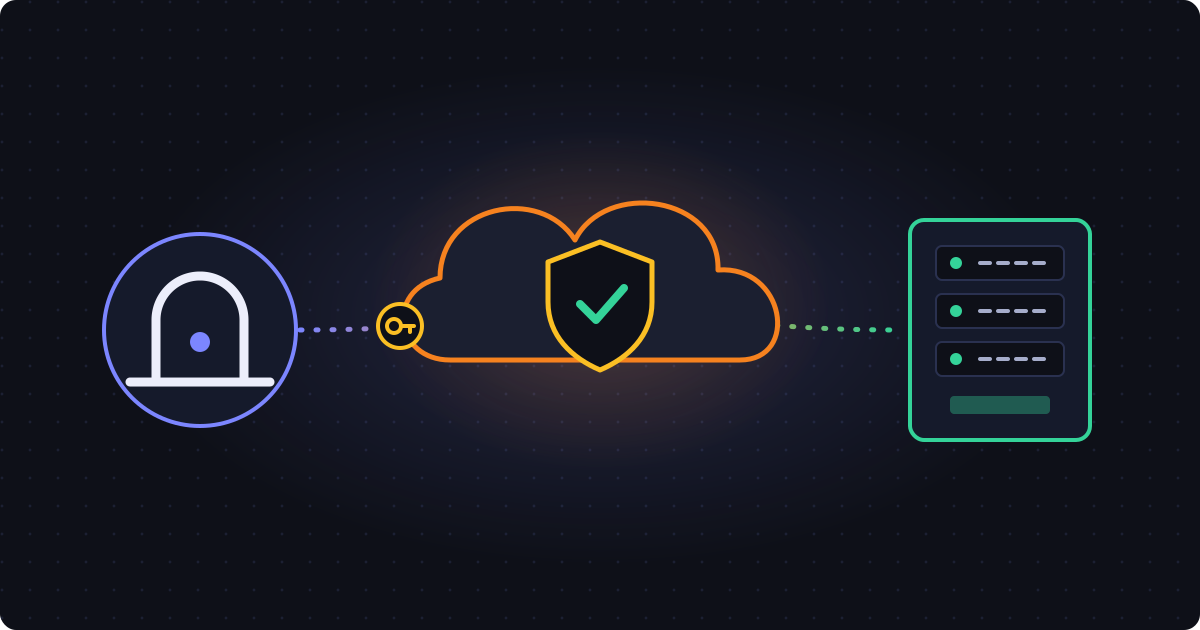
This guide shows a setup we run ourselves. The GPU server makes one outbound connection to Cloudflare and accepts nothing from the internet. Cloudflare Access lets a request through only when it carries a service token. Janus Edge adds that token to every request it sends to the server, including the ones it makes on its own, such as model discovery and health checks. To your users, the remote server is just another upstream.
How it fits together
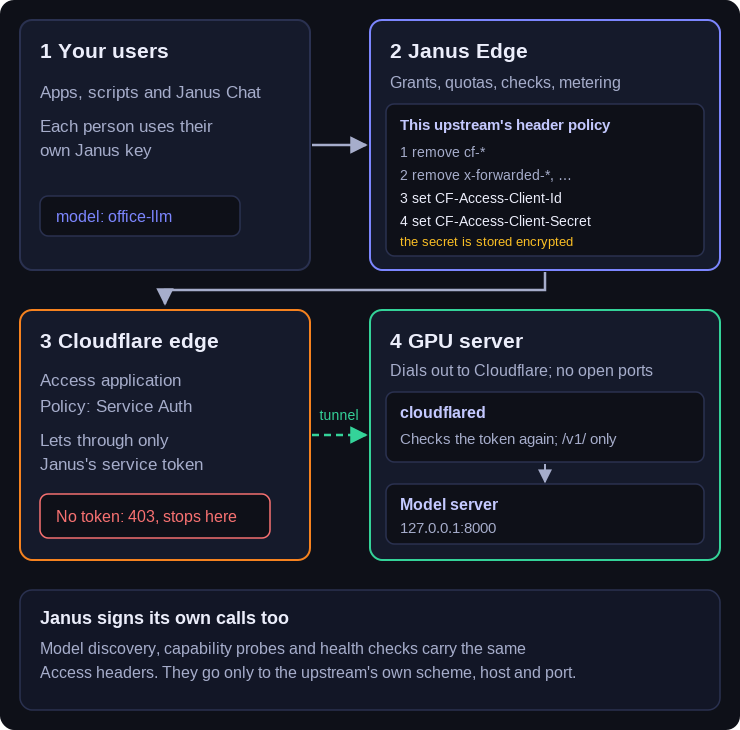
There are three pieces, and each one does one job:
- Cloudflare Tunnel (
cloudflaredon the GPU server) gives the server a public hostname without a public IP or an open port. The connection is outbound from the server to Cloudflare. - Cloudflare Access sits in front of that hostname and refuses every request that doesn’t carry a valid credential. For a machine like Janus, the credential is a service token: a client ID and a client secret, sent as two request headers.
- A Janus Edge header policy adds those two headers to every request Janus sends to that upstream. The secret is stored encrypted and never shown again after you save it.
Step 1: Run the model server on localhost
Start your model server the way you normally would, but bind it to 127.0.0.1 so nothing else on the network can reach it. With vLLM that looks like this:
vllm serve <your-model> --host 127.0.0.1 --port 8000 --served-model-name office-llm
Anything that speaks the OpenAI API works the same way: vLLM, SGLang, llama.cpp’s server, or Ollama on its own port. The model name you choose here is the name Janus will discover. The examples below use office-llm.
It doesn’t have to be a chat model. Our own server behind this setup is a decision model that Janus’s prompt classifier calls on its own endpoint, and it reaches the server through Cloudflare Access in exactly the same way.
Step 2: Create the tunnel and route only the API
In Cloudflare Zero Trust, create a tunnel for the GPU server and install cloudflared on it with the token Cloudflare gives you. Then add a public hostname for the model server. Two details make this much tighter than the default:
- Route only the API path. Our hostname matches
^/v1/.*$and nothing else. Every other path falls through to a catch-allhttp_status:404, so the server’s admin pages, metrics and docs pages are never published. - Make
cloudflaredcheck Access itself. Turn on “Protect with Access” for the hostname (in a config file, it’soriginRequest.accesswithrequired: true, your team name and the application’s AUD tag). Thencloudflaredrefuses any request that doesn’t arrive with a valid Access token, even if someone finds another way to reach the tunnel.
The ingress for our server, as cloudflared sees it, is short:
ingress:
  - hostname: gpu.example.com
    path: ^/v1/.*$
    service: http://127.0.0.1:8000
    originRequest:
      httpHostHeader: 127.0.0.1:8000
      access:
        required: true
        teamName: your-team
        audTag: [<the Access application's AUD tag>]
  - service: http_status:404
Step 3: Protect the hostname with Access and a service token
In Zero Trust, under Access:
- Create a service token for Janus and copy both values right away. Cloudflare shows the client secret once.
- Create a self-hosted application for the hostname.
- Give it one policy with the action Service Auth, whose rule includes that service token and nothing else. Service Auth checks the token and skips the sign-in page, which a machine can’t use anyway.
Check that it’s closed before going further. A plain request should be refused:
curl -s -o /dev/null -w '%{http_code}\n' https://gpu.example.com/v1/models
# 403
And the same request with the two headers should list your model:
curl -s https://gpu.example.com/v1/models \
  -H "CF-Access-Client-Id: <client id>" \
  -H "CF-Access-Client-Secret: <client secret>"
Step 4: Add the upstream in Janus Edge
In Janus Edge, open Administration → Upstreams and add an upstream:
- Adapter: vLLM (or OpenAI-compatible for other servers).
- Base URL:
https://gpu.example.com/v1. - API key: leave it empty unless your model server checks one too. Access is doing the gatekeeping.
Don’t worry if the first check fails. Without the service token, Access refuses it. That’s the next step.
Step 5: Sign every request with a header policy
Open Administration → Policy rules → Header policies and create a new header policy. Rules run in order, top to bottom:
| # | Action | Header | Value |
|---|---|---|---|
| 1 | Remove | cf-* |
|
| 2 | Remove | x-forwarded-*, forwarded, x-real-ip, via, cdn-loop … |
|
| 3 | Set | CF-Access-Client-Id |
your client ID |
| 4 | Set | CF-Access-Client-Secret |
your client secret, marked secret |
| 5 | Set (optional) | User-Agent |
a name you’ll recognize, such as janus-models/1.0 |
Then, under assignments on the same page, assign the policy to the new upstream.
A few things are worth knowing about how this works:
The upstream’s policy replaces the default. Janus ships with a default policy, “Strip edge & proxy headers,” that removes the headers a CDN or reverse proxy adds about the caller: Cloudflare’s cf-* headers, X-Forwarded-*, Via and similar ones. When an upstream has its own policy, Janus uses that policy instead of the default, not on top of it. So copy those remove rules into your new policy, as rows 1 and 2 above do.
Remove first, then set. If Janus itself sits behind Cloudflare, your users’ requests arrive carrying Cloudflare headers, including the signed Cf-Access-Jwt-Assertion identity token of the person calling. You don’t want that reaching another service. Removing cf-* first and setting the two Access headers after it leaves exactly the headers you chose. Because the rules run in order, the remove rule doesn’t touch the headers you set afterward. Skip the remove rule and Cloudflare refuses the request outright: a request that reaches a Cloudflare hostname already carrying another Cloudflare request’s headers gets a 403 with “error code: 1000”. Janus’s own calls, such as classifier requests, still work then, because they carry no caller headers, so the problem shows up only when your users send requests.
Mark the secret as secret. A value marked secret is stored encrypted, the same way Janus stores upstream API keys. The API never returns it, the page shows “Saved — leave empty to keep” instead, and the header log always masks it.
Janus’s own calls are signed too. Janus doesn’t only forward user requests. It also calls upstreams on its own: model discovery, capability probes, health checks, and classifiers or decision models if you run them there. Those calls carry the headers your policy sets as well, so discovery and health checks work through Access, not only chat requests. Janus adds them only to requests for the upstream’s own scheme, host and port, so a redirect to another host can’t carry the token away.
Janus’s own credentials always win. Authorization, the provider API key headers, Host and a few transport headers belong to Janus. A policy can’t name them, and the adapter adds its own headers after the policy runs, so a header policy can’t break authentication with the provider.
Save the policy, and the next health check goes green. In our setup, the check against a DGX in another office through Cloudflare takes about 50 ms, which is an example from one network, not a promise. New models show up on the Models page as Pending approval, the same as from any other upstream. Approve the ones you want, give people access in Grants, and they can use them with their normal Janus keys.
What your users see
Nothing new, which is the point. A developer calls /v1/chat/completions with their own Janus key and the model name, and someone else picks it in Janus Chat. Neither of them ever sees the service token, the Cloudflare hostname or the office network. Their usage is metered and limited like every other model, and the same security checks apply.
If you turn on header logging (Names only or Names and values) on the Header policies page, each request records what the caller sent, what went upstream, and which rule changed what. It’s the quickest way to confirm a policy does what you meant, and secret values stay masked either way.
Things to plan for
- Cloudflare sees the traffic. TLS ends at Cloudflare’s edge, which is how Access can check the request at all. Prompts and replies pass through Cloudflare on their way to your server. That is fine for many teams, and a deal-breaker for some data. Decide which yours is before routing sensitive work this way.
- Service tokens expire. Cloudflare service tokens have an expiry date, one year by default. Put the renewal on a calendar. When you rotate the token, paste the new secret into the policy and save.
- One token per client. Give Janus its own service token rather than sharing one with scripts or people. Then you can see and revoke Janus’s access on its own.
- Keep the path rule tight. Publishing only
/v1/means a mistake on the model server, such as an admin or debug page, isn’t published along with it. - Stream long replies. Tunnels carry streamed responses fine. Cloudflare ends a request when the origin sends nothing for about 100 seconds, so a long reply that isn’t streamed can fail where a streamed one keeps going. Test your longest real request before relying on it.
The same pattern for other gateways in front of a model
Nothing here is specific to Cloudflare. Header policies set whatever a server in front of your model expects: a gateway key, a tenant header for a shared inference service, or a routing header for a load balancer. If a request needs an extra header to get through, set it in a policy for that upstream and mark it secret if it’s a credential. Header policies are part of every Janus Edge edition, including the free Community edition.
Getting started
Download Janus Edge, add your remote server as an upstream, and give it a header policy. If you already run Janus behind Cloudflare, check that your default policy is still assigned. It is the one that keeps your users’ Cloudflare headers from reaching your providers.